

Start A Website#
1. Have a plan on the website#
Have a plan on the website. Here I just need a practice for website deplyment, some the resources required is small. Following is what I have done.
Bought a domain name on namecheap.com.
Apply a free tier on amazon and got a EC2 computing resource, got a server and a public IP.
Configured namecheap.com, let the domain name point to the IP of the serser.
Employ Nginx as http server utility.
Using Certbot to certificate my domain, started https schame.
Configure Nginx.
2. Register a domaini name#
Visit https://www.namecheap.com, and sign up.
Click the Domain tab, search the domain name that I want to register.
- I search a domain name, let say “example.com”, the serach result shown that the domain name is not register.
So, I bought it. The cost is about $12 per year.
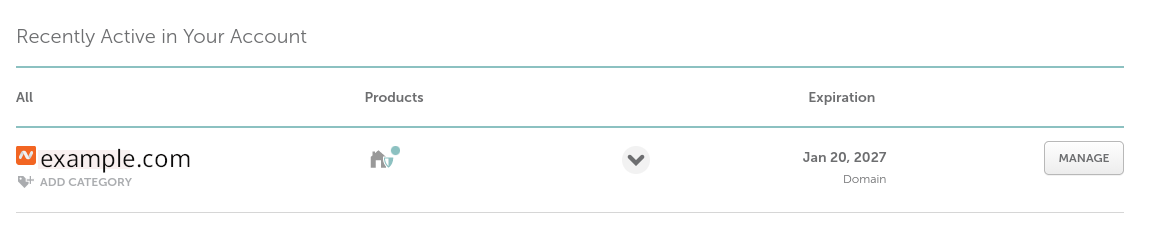
Got to the Doshboard of my account (https://ap.www.namecheap.com), I can saw that I have acquired the domain name successfully.
3. Apply EC2 free Tier#
Visit https://aws.amazon.com/ec2/, and apply EC2 free tier. You may need a credit card here.
Follwing the directions of the website, to apply EC2 free tier.

Start a EC2 instance, and got a IP. Let say the IP address is 1.2.3.4
Note
When start the EC2 instance, I choose Fedora as my OS image.
Note
When start EC2 the instance, I generate I key for login. The name of private key file is “amazon-ec2-key.pem” I well login to the EC2 instance by bash command: ssh -i “amazon-ec2-key.pem” fedora@1.2.3.4
4. Make domain name point to IP on namecheap.com#
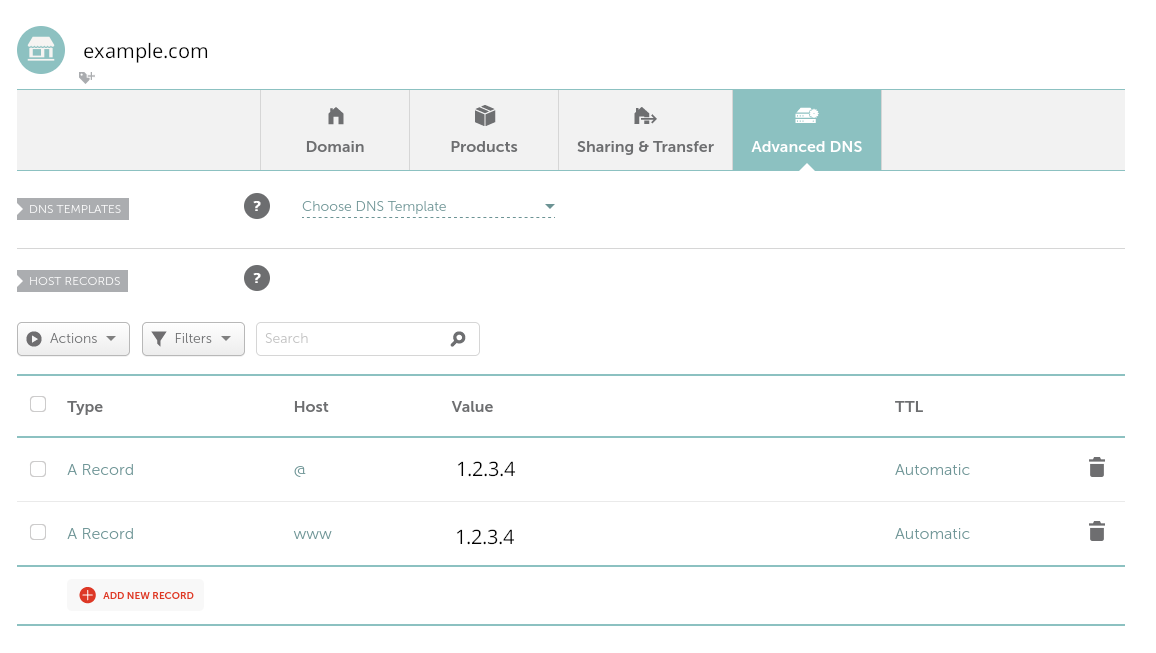
Go to https://ap.www.namecheap.com/, click “MANGE” along the domain name that I want to configure.
I added two record, please see the image.
5. Install Nginx and configure the server#
Log in the EC2 server using ssh remotely.
ssh -i "amazon-ec2-key.pem" fedora@1.2.3.4
Create root password
sudo passwd root
Install Nginx
dnf install nginx.x86_64
Add http and https services
firewall-cmd --add-service=https --permanent
firewall-cmd --add-service=http --permanent
systemctl reload firewalld.service
Enable and start Nginx
systemctl enable nginx
systemctl start nginx
6. Using certbot to certificate the domain#
Install certbot and its Nginx plugin
dnf install certbot python3-certbot-nginx
Cerficate
certbot --nginx
Now Every should works.